Inspect your disks. Understand each partition.
A native macOS disk utility for physical and virtual disks, partitions, images and health, with safeguards around operations on your startup disk.
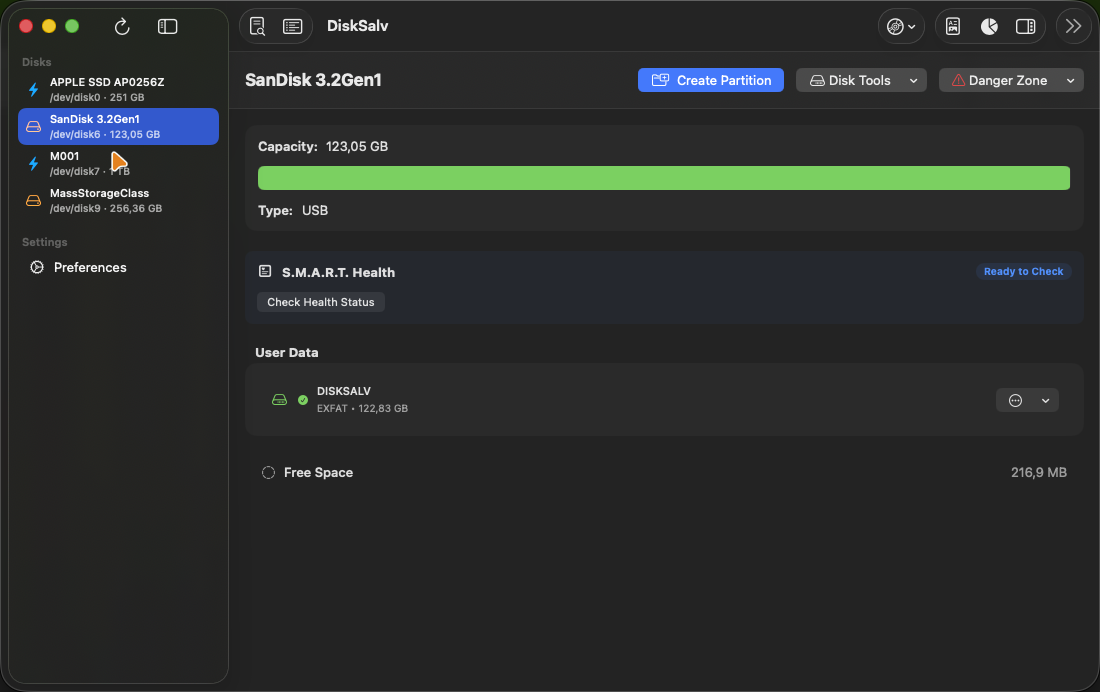
A native macOS disk utility for physical and virtual disks, partitions, images and health, with safeguards around operations on your startup disk.
Disk inspection, partition tools and image workflows in one native window. DiskSalv is still in development.
Real captures from the app on macOS, driving a USB stick. Scroll sideways; click to enlarge.
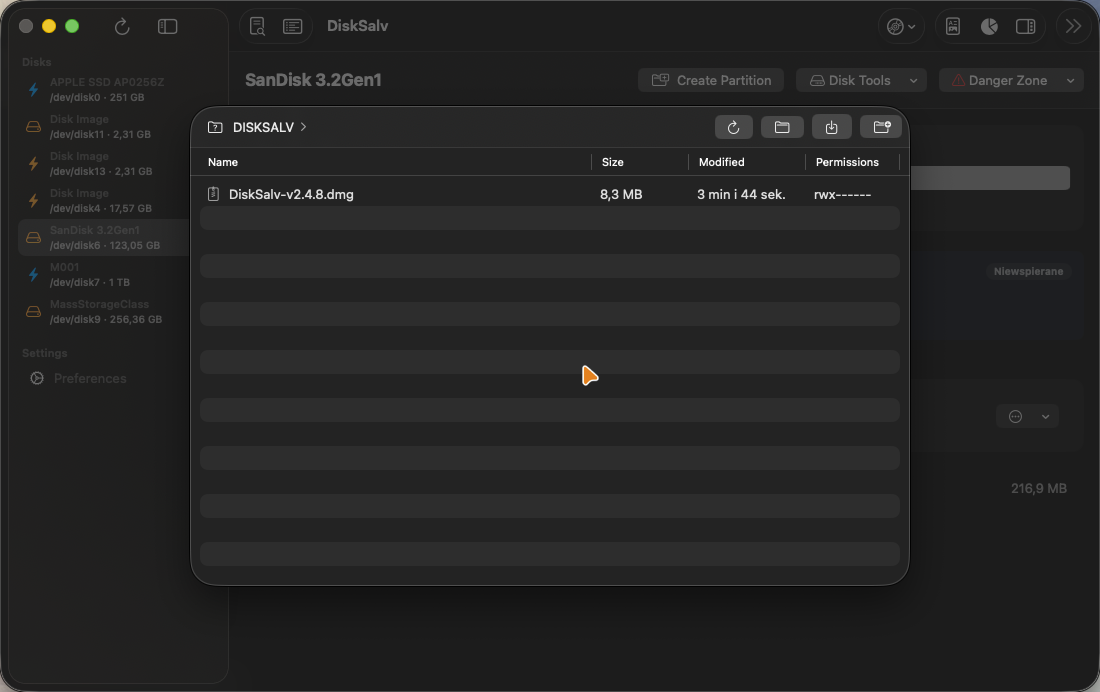
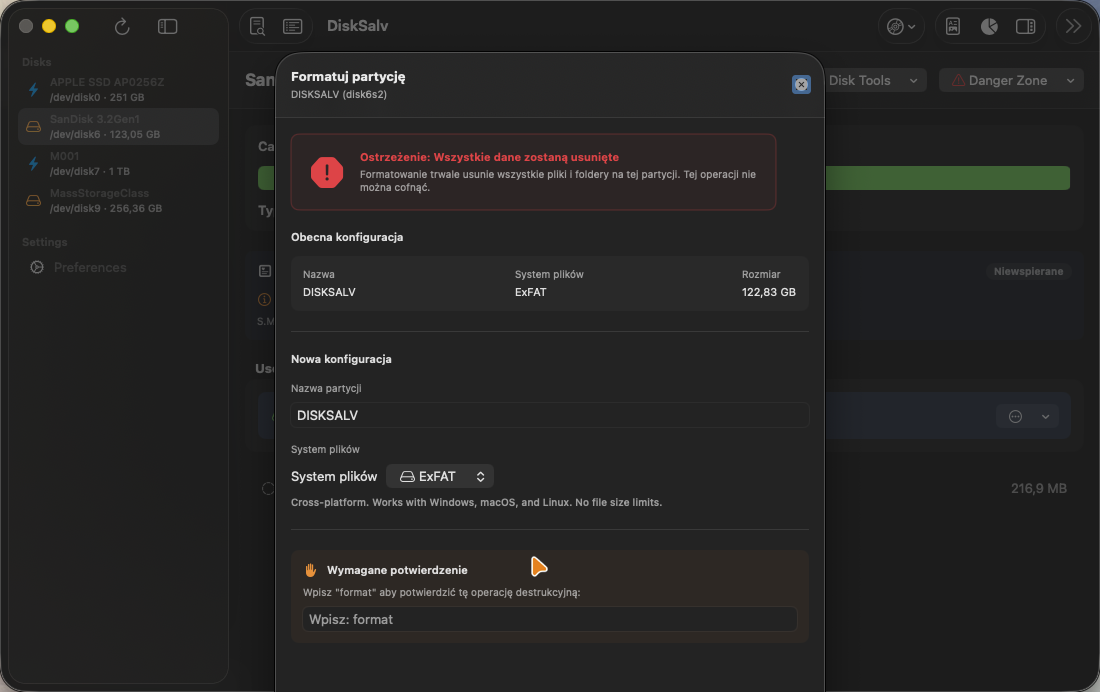
Whole-disk and partition operations, all native through diskutil, hdiutil and asr. Destructive ones are shown in red.
A disk tool that can reshape hardware has to be careful. DiskSalv treats your data as the thing worth protecting.
DiskSalv checks the target against the startup disk before destructive disk operations and refuses the operation when it cannot verify the target.
Destructive disk dialogs require typed confirmation before their action buttons unlock. Check the selected device and keep a backup before changing partitions.
For supported disk images, you can request source checksum verification before restoration. This check does not replace a backup or post-restore validation.
The ext4 reader and hex viewer default to read-only. NTFS and ext4 are never written blindly, and the browser refuses to follow a symlink out of its volume.
Disk operations are recorded in a local log under ~/Library/Logs/DiskSalv/ for later review.
DiskSalv calls system utilities with validated device identifiers and structured arguments.
Keyboard-first, the way a disk utility should be.
DiskSalv is still in development. Download, signing, permissions and installation instructions will be confirmed before release.
Move DiskSalv.app into your /Applications folder.
Follow the instructions supplied with the signed public release. If macOS blocks an app you trust, review it in System Settings → Privacy & Security.
For raw operations, enable Full Disk Access for DiskSalv in Privacy & Security.